PDF LISTENER / FOR MAC
Give your papers
a voice.
Listen to English research papers, right on your Mac. Follow the ideas, rest your eyes, and pick up exactly where you left off.
Apple Silicon · macOS 26 or later
English speech · English & Korean interface
INTERACTIVE PREVIEW
A little more room for ideas
Original example text · click a sentence to listen
A. Researcher · Department of Ideas
1. A different way to read
[1, 2]
Figure 1. A small pause between ideas.
Authors and figure captions are left out of the listening view.
The sample could not play. Try again or download the audio below.
Real app audio. The paper-mode toggle illustrates filtering; the recorded sample stays the same. Download the voice sample ↓
Stay in the argument
Less time listening to captions and citations.
Stay on your Mac
Local PDF processing and speech generation.
Stay at your pace
Follow along, replay, and choose your speed.
BUILT AROUND THE PAPER
More of the argument.
Less of the interruption.
Research has its own rhythm. PDF Listener is designed to help you keep it.
- 01
Focus on the body
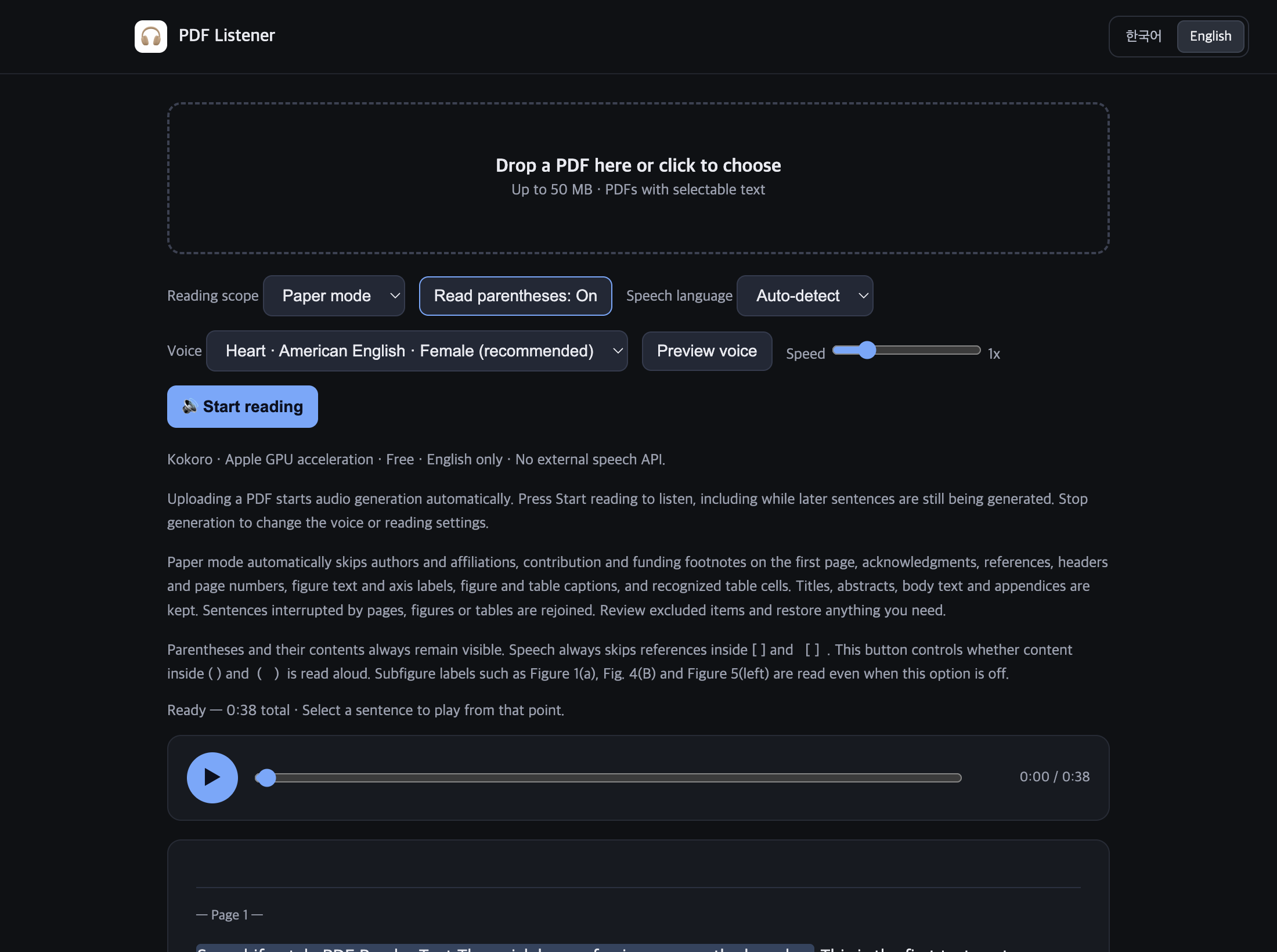
Paper mode filters authors, acknowledgments, references, figure and table captions, and recognized table content. Review exclusions and restore what matters.
- 02
Keep the sentence together
Sentences interrupted by pages, figures, or tables are rejoined. Section headings help preserve the structure of the paper.
- 03
Choose what you hear
Control whether parenthetical text is spoken. It stays visible on the page. Citation brackets are skipped; subfigure labels are kept.
A PLACE TO READ AND LISTEN
Your paper.
Your place in it.
Drop in a PDF and audio generation starts. Listen to the prepared sentences while the rest is being generated, with your place highlighted as you go.
ON YOUR OWN MACHINE
Your reading stays
with you.
The macOS app includes its speech models. Once downloaded, PDF extraction and speech generation work without an internet connection or an external speech API.
- No speech API key to manage
- Apple GPU acceleration, with a CPU option
- PDFs and generated audio stored on your Mac
From PDF to listening, in three steps.
- 01
Bring your paper
Open a PDF with selectable text, up to 50 MB.
- 02
Make it your own
Choose a voice, review paper-mode exclusions, and set your reading preferences.
- 03
Follow the ideas
Start listening, change the speed, or select a sentence to return to it.
FAQ
A few things to know.
Which Macs are supported?
The current build targets Apple Silicon Macs (M1 or later) running macOS 26 or later. Intel Macs, Windows, and native mobile apps are not currently supported. This website works on mobile.
Can it read Korean papers aloud?
Speech currently supports English. The app interface and this website are available in English and Korean; changing the interface language does not translate a paper or change its speech language.
Does it work with scanned PDFs?
Use PDFs with selectable text. Image-only scans need OCR before import. Complex layouts can affect extraction and automatic filtering, so review the text and excluded items.
Do my papers leave my Mac?
The desktop app processes PDFs and generates speech locally. Its models are included in the download. This promotional website has no PDF upload form or analytics scripts.
Can I download it now?
A public download is being prepared. Developer ID signing, Apple notarization, and remaining distribution-license checks are not complete. The local test build is not offered for public download here.

NEXT UP: YOUR NEXT PAPER
A calmer way
through the reading list.
PDF Listener for Mac is in preview. We’re getting the public release ready.
Public download coming later
Developer ID signing and notarization are pending. Distribution-license verification is still in progress.
Follow on GitHubApple Silicon · macOS 26 or later